
Online store, included
 Coral hand-tied
Every product you add to GetFloristPOS appears on your online store with its photo, sizes, price and stock. Customers choose delivery or pickup, a date, an open time slot and a card message, and the order lands in the same book as the counter. Nothing to rebuild when prices change before Valentine’s.
- Included in every plan
- Only open slots are offered
- Sold-out arrangements hide themselves
- Works with your own card processor

You add a product
Photo, name, sizes (standard, deluxe, premium), price per size, category such as “Sympathy” or “Birthday”.
- Step
- 1 of 4
- Time
- 1–2 min each
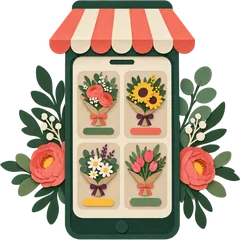
The store page appears
The product is on your online store at once, in its category, with its sizes and price. No separate website to update.
- Step
- 2 of 4
- Time
- instant

Customer picks a slot
At checkout: delivery or pickup, date, open time slots only, card message, recipient details.
- Step
- 3 of 4
- Time
- at checkout

Order lands in your book
The order joins the counter and phone orders in the same slot, deducts stock, and shows on the van sheet.
- Step
- 4 of 4
- Time
- instant
Guide: Publish your online store
Included store or managed website?
Start with the included store: it is live the moment you add products, and for many shops it is enough. Move to the managed website when you want your own design, occasion pages that rank for searches like “sympathy flowers delivered in [your town]”, and a team keeping it in season.
Compare in detailHonest limits
- The included store uses a standard layout with your logo and colours, not a custom design.
- It does not write blog posts or occasion landing pages.
- Payments online need your own processor connected.
FAQ
How does an online flower shop builder work?
An online flower shop builder turns your product list into a web shop. In GetFloristPOS you don’t build anything: every product you add to the POS (photo, sizes, price, stock) is published to your online store automatically, with delivery or pickup and time-slot choice at checkout. Change a price at the till and the store changes too.
Is the online store included in every plan?
Yes. The auto-generated online store is part of Bud, Bloom and Garden, at no extra cost.
Can I use my own domain?
You can point your own domain at the store. If you want a custom-designed site, occasion pages and our team keeping it current, that is the managed website upgrade.
How do customers pay online?
Online card payments work through your own payment processor connected to the store. You can also allow “pay on delivery” or bank transfer where that is normal, for example in Pakistan.
What happens when a stem runs out?
If an arrangement’s recipe needs a stem you no longer have, or the product’s stock reaches zero, it stops being orderable online until you restock or edit it.
Can I hide products from the online store?
Yes. Mark counter-only items, such as loose stems or wedding pieces, as not for online sale.
Does the store work on phones?
Yes. Most flower orders are placed on phones, and the store is built for small screens first.
Can I connect a WooCommerce shop instead?
Yes. If you already run WooCommerce, products and stock can sync with it instead of, or as well as, the generated store. Ask on your demo.
Related: delivery slots, how it works, bundle.
Start the trial, add your five best sellers and open your store on your phone. That’s the whole setup.
14-day free trialNo contractNo per-order commission