
Hardware guide
You need a browser to start. Everything else, printers, drawers, scanners and card readers, is optional, generic and bought wherever you like. Brand names below are examples, not endorsements or partnerships.
 Required
Tablet, laptop or desktop
Any modern device with a current browser runs the POS. A 10–13 inch tablet on a stand is the most common counter setup.
Works with: iPad, Android tablets, Windows or Mac computers
 Recommended
Receipt printer
80 mm thermal printers for receipts, work tickets and enclosure cards. Network or USB printers connected to the counter computer work best.
Works with: Epson, Star Micronics and other ESC/POS printers
 Optional
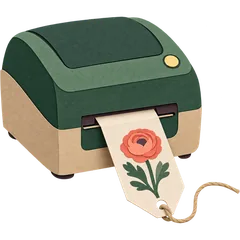
Label printer
For barcode labels on hardgoods and stem tags or care labels on bouquets.
Works with: Zebra, Brother, DYMO-type label printers
 Optional
Barcode scanner
USB or Bluetooth scanners that type like a keyboard work out of the box for sleeves, vases and retail items.
Works with: Honeywell, Zebra and generic keyboard-wedge scanners
 If you take cash
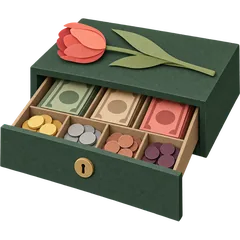
Cash drawer
Drawers that open from the receipt printer (printer-driven, RJ11/RJ12) open automatically on cash sales.
Works with: Printer-driven drawers from most POS suppliers
 If you take cards
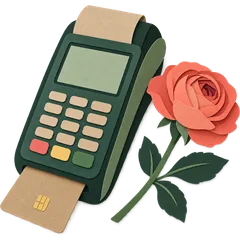
Card reader
Card readers come from your merchant processor and work with your processor’s app or terminal. We record the payment in the sale.
Works with: Your processor’s terminal
Three setups we see most
- Small counter: tablet + receipt printer + printer-driven cash drawer + processor’s card reader.
- Busy shop: desktop at the counter, tablet at the design bench, label printer for stem tags, phones for drivers.
- Pop-up or market stall: phone or tablet with a hotspot and the processor’s mobile reader.
What we don’t do
We don’t sell or lease hardware and we don’t process card payments. That means no hardware lock-in and no processing contract tied to your software.
FAQ
What hardware does a florist POS need?
At minimum, a tablet or computer with a browser. Most flower shops add a receipt printer (for receipts, work tickets and enclosure cards), a cash drawer, and a card reader from their payment processor. Label printers and barcode scanners are optional extras for retail items and stem tags.
Do you sell hardware?
No. We tell you what works, and you buy it from any supplier you like. That keeps prices honest and lets you use what you already own.
Will my existing receipt printer work?
Most ESC/POS thermal printers do. Tell us the model on the demo and we’ll confirm.
Which card reader should I buy?
The one your payment processor supplies. Card payments run through your processor; GetFloristPOS records them. We do not process card payments.
Can drivers use phones?
Yes. Drivers open the van sheet on a phone and mark deliveries done. No special hardware.
Do I need a scale?
Rarely for florists. If you sell loose items by weight, such as dried flowers or plants in some markets, scales that act as keyboard input can be used.
What internet connection do I need?
A normal shop broadband connection. Keep a phone hotspot as backup, because the POS is hosted.
Can I print enclosure cards?
Yes. Card messages print on the receipt printer or on card stock from an office printer, depending on your layout.
Start the trial in a browser today. Add a printer when you’re ready.
14-day free trialNo contractNo per-order commission